Changelog

Product updates, fixes, and improvements.

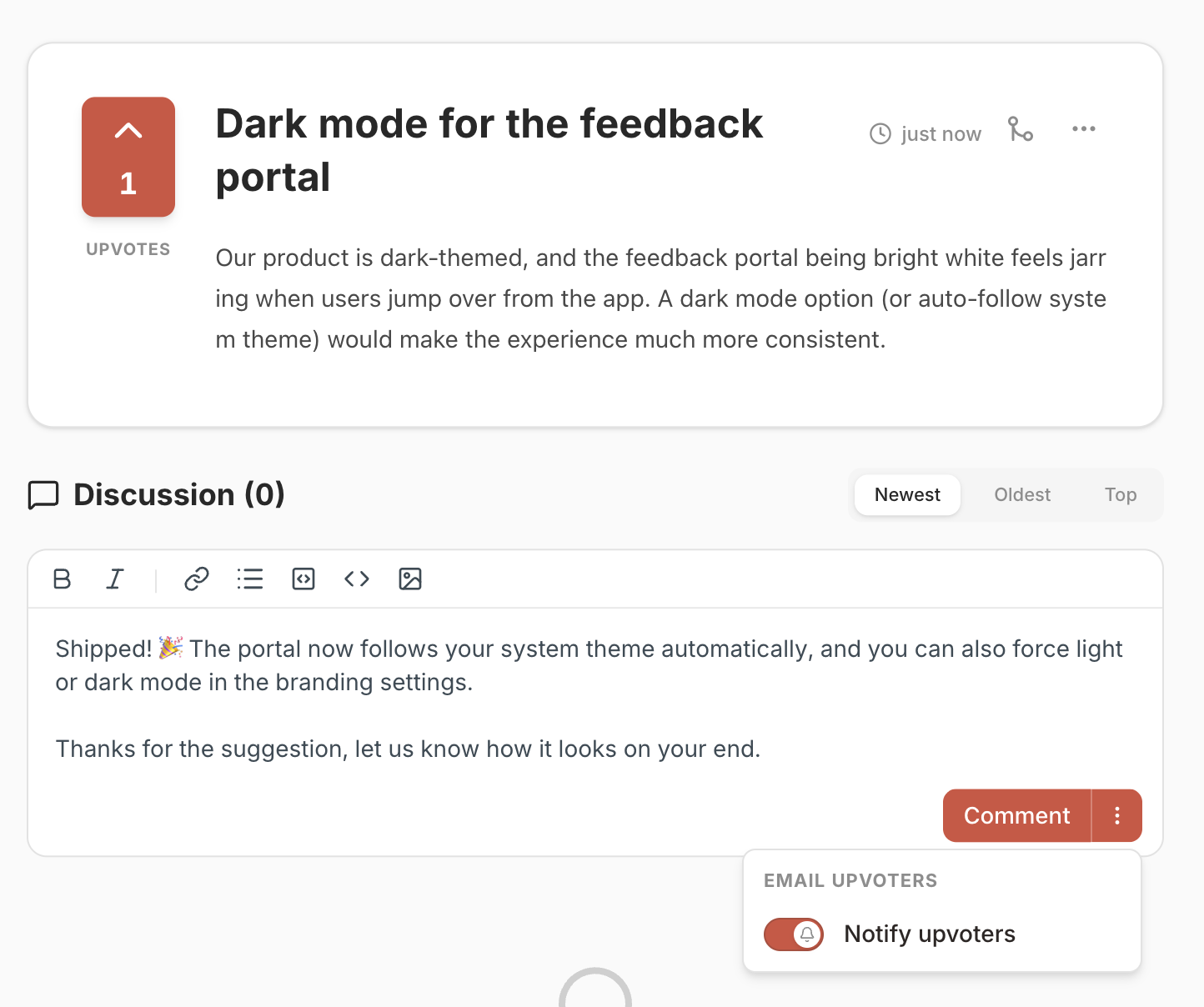
ImprovedAutomatic email notifications for replies

Replies to feedback can now send an email notification to the submitter automatically. This behavior is enabled by default, and you can turn it off for an individual reply before posting.

✨ New

  • Replies: Email notifications are sent automatically when you reply to a piece of feedback
  • Reply composer: Emails are on by default and can be disabled for any individual reply before posting

NewNew: Customize your Logo and Brand Colors 🎨

You can now set your own brand colors and logo for your public feedback board. This makes the interface more harmonious with your main product and ensures a seamless user experience.

Available for both hosted and self-hosted FeedLog.

  • Custom Logo: Upload your own logo to replace the default branding.
  • Brand Colors: Match the feedback board perfectly with your product's unique color palette.
  • Default Theme: Set your preferred default view (Light Mode or Dark Mode) for your users.
  • Custom Welcome Message: Greet your users with a personalized message that fits your brand’s tone of voice.
    Try it out on your dashboard today! πŸš€

NewSingle sign-on for your product's users

If people already sign in to your own product, they can now arrive on your FeedLog board already logged in β€” no second Google/GitHub sign-in, no extra password.

Available in both self-hosted and hosted FeedLog. SSO signs in the people leaving feedback β€” your staff still sign in to the dashboard the usual way.

  • Zero extra sign-in β€” Users coming from your product are authenticated the moment they reach your board, ready to post, vote, and comment.
  • Drop-in JWT handoff β€” Sign a short-lived HS256 token with your workspace secret and redirect to /api/sso/jwt. No SDK, no SAML β€” most teams wire it up in under a day.
  • Manage secrets in the dashboard β€” Developer β†’ Single Sign-On to create, label, view, enable/disable, and delete signing secrets, with a copy-paste integration guide on the same page.
  • Rotate without downtime β€” Keep up to five secrets per workspace: add a new one, switch your product over, then disable the old β€” no lockout.
  • Secure by default β€” SSO sessions are bound to your board and stay at end-user level β€” they can't open the dashboard or change account credentials. Users are matched by email, so they
    line up with existing Google/GitHub accounts.

New☁️ Hosted FeedLog is now open for sign-ups

If you don't want to self-host, you can now use FeedLog as a hosted service. Sign up at auth.feedlog.ai/register β€” see feedlog.ai for product details.

Self-hosting on Cloudflare / Vercel / Docker is unchanged and still the right choice for many setups.

✨ New

  • 5-minute setup β€” Sign up, name your workspace, start collecting feedback. No infra setup, no environment variables, no migrations to run.
  • Feature parity with OSS β€” Inside your workspace, hosted FeedLog has every feature from the OSS release β€” no "Cloud-only" tier, no paywall.
  • Free to use β€” No pricing, no usage limits, no credit card. Sign up and use it.

NewπŸ‘₯ Invite your team to FeedLog

Bring teammates into your workspace, assign roles, and moderate feedback together β€” instead of sharing one admin login.

✨ New

  • Invitations β€” Invite teammates by email. Delivery uses Resend when configured; self-hosters without an email provider get a copy-link fallback so onboarding isn't blocked.
  • Roles & permissions β€” Three roles: Owner, Manager, Contributor. Per-role permissions are enforced across every admin action (posts, boards, comments, changelogs, merges).
  • Workspace branding β€” Rename your workspace under Settings β†’ Workspace. The name appears in invitation emails and the dashboard sidebar.
  • Members page β€” New Settings β†’ Members to view members, change roles, resend invitations, or remove access.

NewπŸ“ Changelog is now live

The changelog feature is now available. It includes publishing, management, and viewing, plus emoji reactions and AI Writing in 4 distinct styles.

✨ New

  • Changelog: Publish, manage, and view changelog posts
  • Reactions: Let readers react to changelog entries with emojis
  • AI Writing: Generate changelogs from existing feedback in 4 preset styles:
    • Concise β€” in the spirit of Notion's release notes. A tight "You can now…" blurb with a one-line how-to-trigger.
    • Structured β€” modeled on Raycast's changelog. A short hero paragraph, then ✨ New / πŸ’Ž Improvements / 🐞 Fixes bullets.
    • Benefit-Led β€” echoing Intercom's product updates. Pain-point hook, one-line benefit, then 3–4 bullets of what you can do.
    • Witty β€” a nod to Slack's release notes. One playful paragraph for the weeks when "we squashed some bugs" would be the honest answer.